Free Batch52 Pro
Share your personal referral link with other bakers and earn free months of Batch52 Pro every time one of them subscribes.
Included in all plans
Direct link: /site/admin/referrals
Share your personal referral link with other bakers and earn free months of Batch52 Pro every time one of them subscribes.
Overview
You probably know a few other bakers who'd love a shop like yours — from your Facebook baking group, the farmer's market, or a cottage-food forum. Batch52 gives every account a personal referral link. When a baker joins through it and subscribes to Pro, they get a deal on their first month and you bank a free month of Pro. There's nothing to set up — your link is ready the moment you open the page.
Steps
1. Open the Referral Program page
In your admin sidebar, go to Settings → Referral Program. (Even though it lives under Settings, think of it as a marketing tool — it's all about spreading the word.)
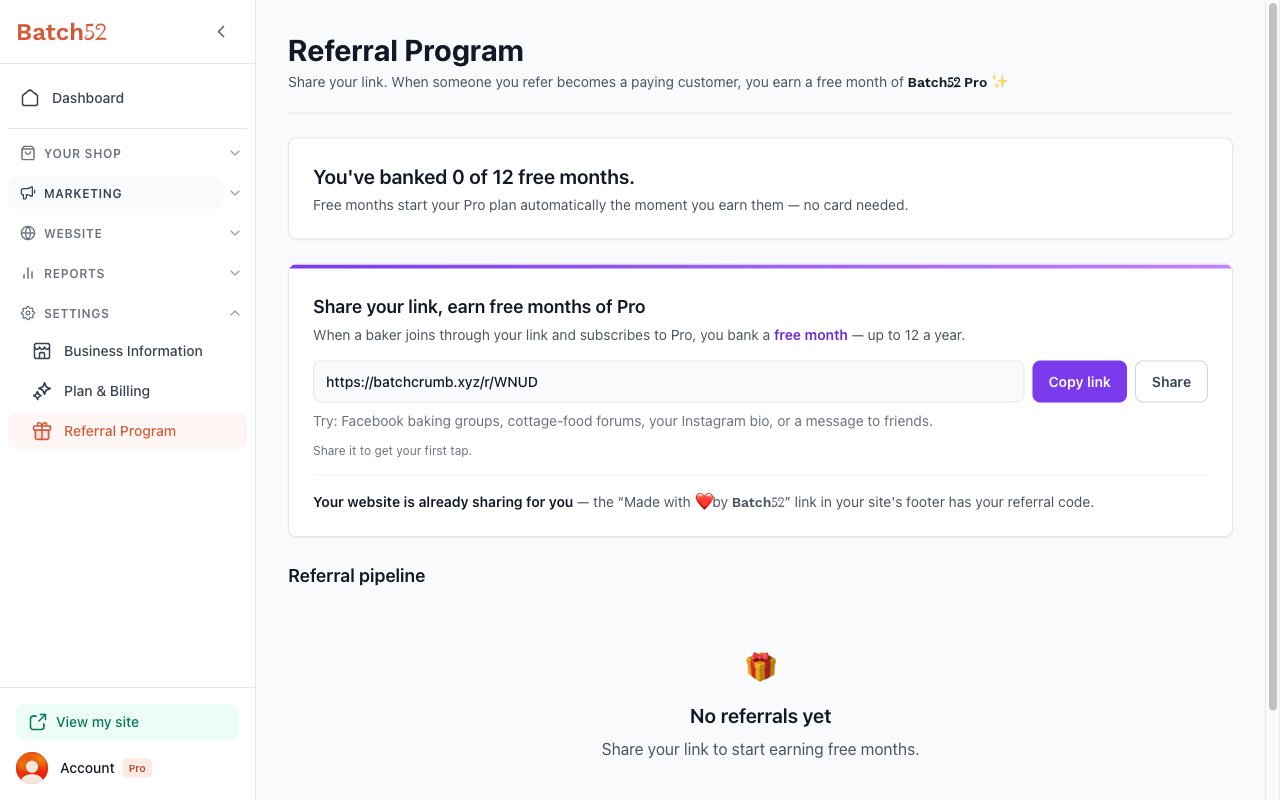
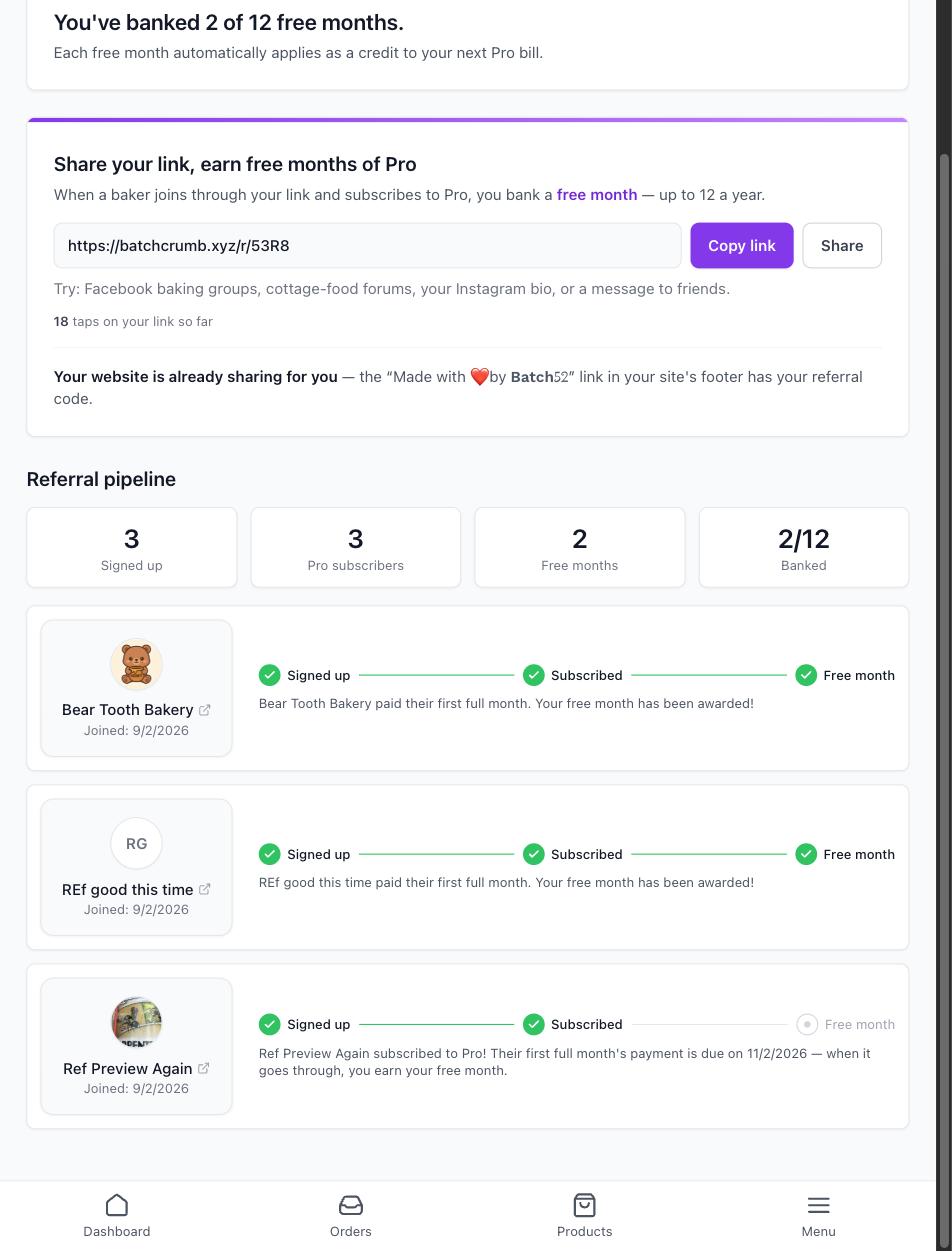
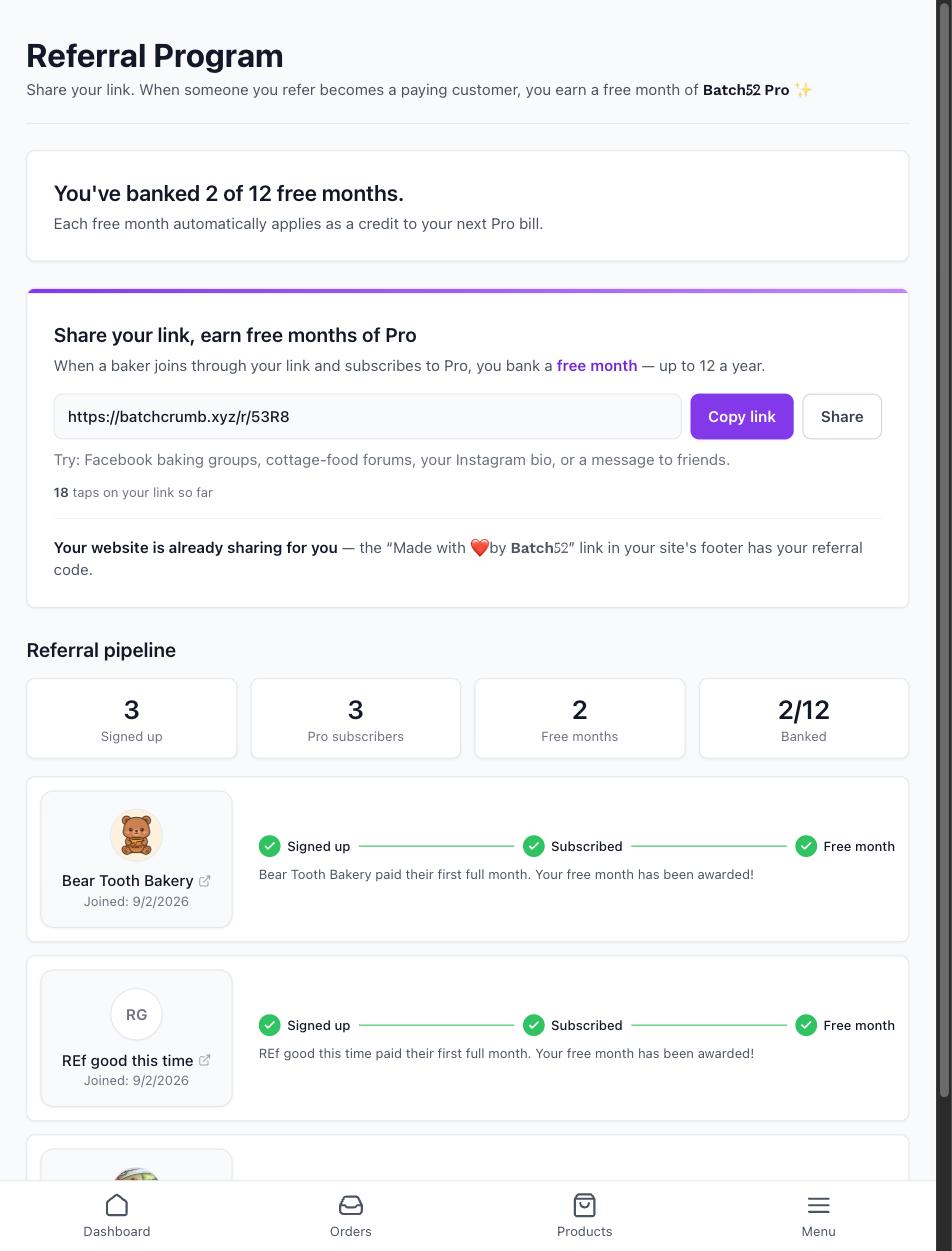
The page has three parts: a banner showing how many free months you've banked, a share card with your personal link, and your Referral pipeline. On a brand-new account the banner reads "You've banked 0 of 12 free months." and the pipeline says No referrals yet — that's exactly what you should see before you've shared your link.
2. Copy or share your link
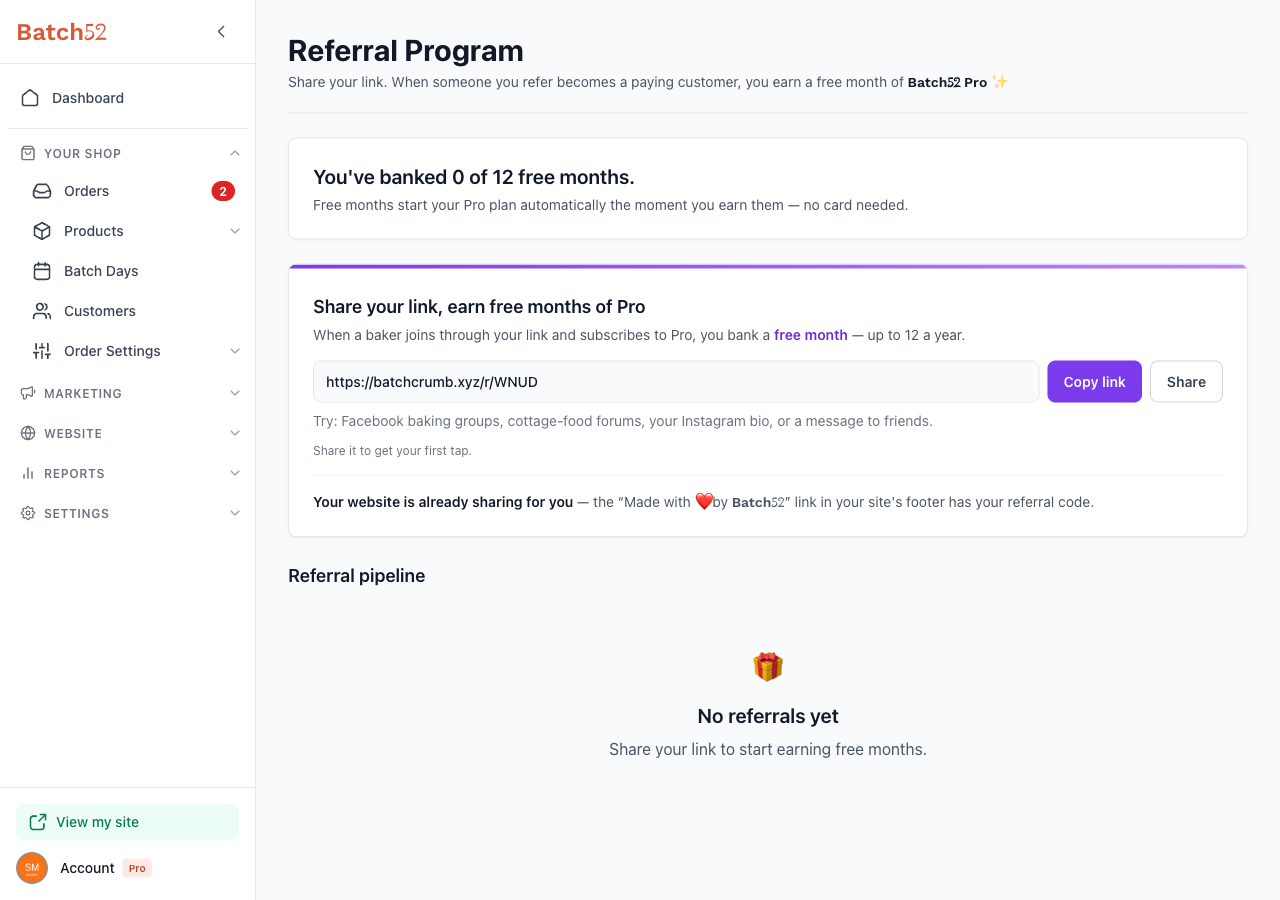
Your link is in the Share your link, earn free months of Pro card. It looks like https://batch52.com/r/XXXX, where the last four characters are your personal code — that's how Batch52 knows a new baker came from you.
- Copy link puts the link on your clipboard so you can paste it anywhere — a Facebook comment, a text, your Instagram bio.
- Share opens your device's built-in share menu, which is the quickest way to send it from your phone straight into Messages, WhatsApp, or Instagram. On a computer without a share menu, it copies the link instead.
The page even suggests where to start: Facebook baking groups, cottage-food forums, your Instagram bio, or a message to friends.
3. Let your website do the sharing for you
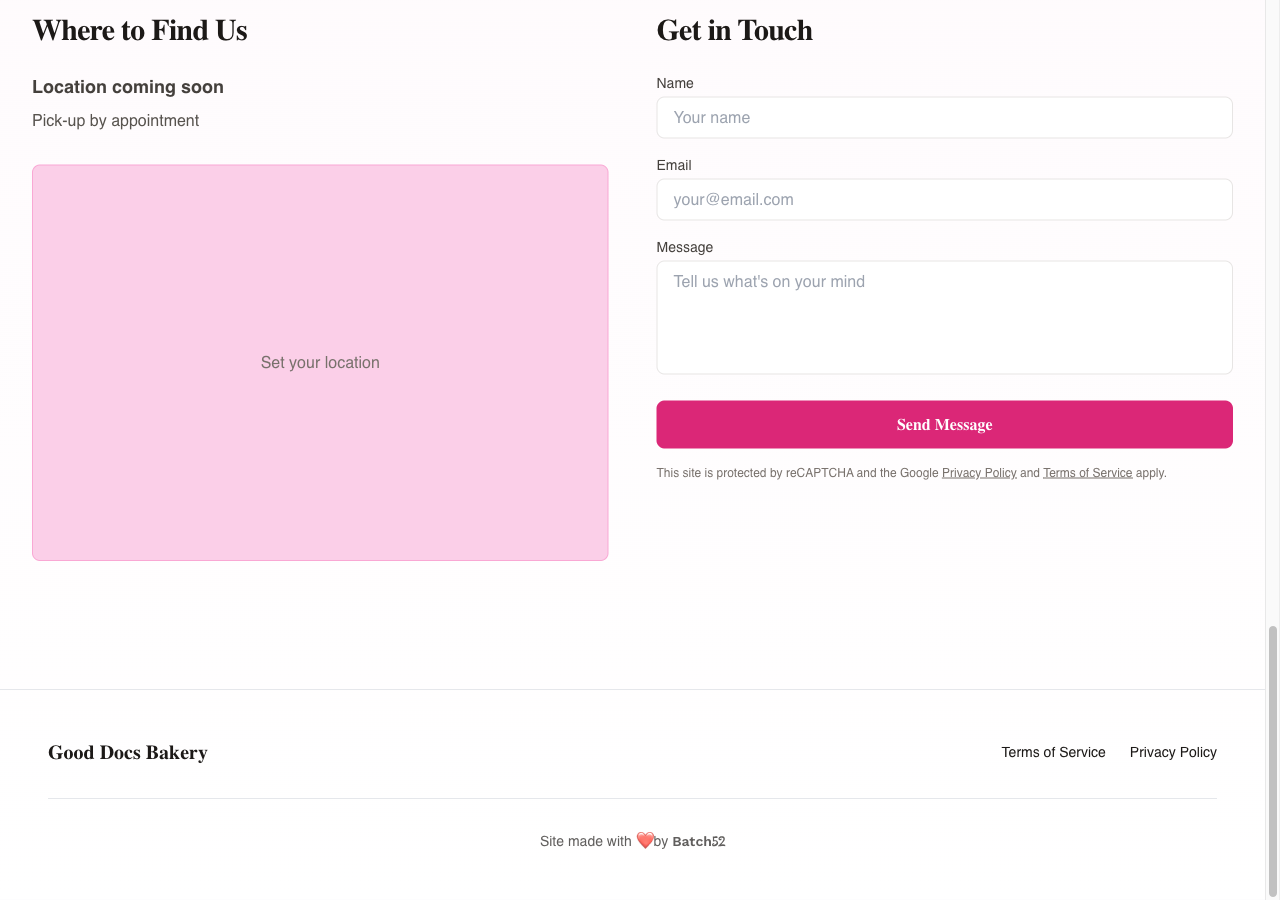
You don't have to lift a finger for this part. At the very bottom of your public shop there's a line that says "Site made with ❤️ by Batch52" — and that Batch52 link already carries your referral code. Any baker who admires your site, clicks it, and signs up counts as your referral.
4. Understand how a referral earns you a free month
Each referral moves through three steps:
- Signed up — a baker created a Batch52 account through your link.
- Subscribed — they upgraded to Batch52 Pro. As a thank-you for coming through your link, they get their first month of Pro for just $5 (that's 70% off), as long as they subscribe within 7 days of first tapping your link.
- Free month — once they pay their first full-price month of Pro, you earn a free month.
That last step matters: the free month lands in your account after your referral's first full-price payment, not the moment they sign up. So if a friend joins today, expect to see your reward roughly a month after they upgrade.
5. Track your Referral pipeline
Once people start using your link, the Referral pipeline section fills in. At the top you'll see four stat cards — Signed up, Pro subscribers, Free months, and Banked — giving you a quick tally of how your referrals are going. Below that, each referral gets its own card with a three-step progress tracker (Signed up → Subscribed → Free month) so you can see exactly where each baker is.
6. Enjoy your free months
You don't need to redeem anything. Free months apply automatically:
- If you're already on Pro, each free month is applied as a credit to your next Pro bill.
- If you're not on Pro, your free month starts your Pro plan automatically the moment you earn it — no card needed.
The banner at the top of the page keeps a running count. You can hold up to 12 banked free months at a time, so a dozen referrals could cover a full year of Pro. A banked free month lasts 12 months from the day you earn it.
Tips
- Lead with what they get. "Sign up with my link and your first month of Pro is $5" is an easier sell than "help me earn a free month."
- Put the link where bakers already hang out. Cottage-food Facebook groups and local market vendor chats are full of people who need a simple online shop.
- Add it to your Link-in-Bio page. If you use Batch52's Link-in-Bio, add your referral link there so it's one tap away for anyone who finds you on Instagram.
- Be patient with the last step. Your free month arrives after your referral's first full-price Pro payment, so there's a natural delay of about a month.
- Free months bank, but not forever. Each one is good for 12 months after you earn it. The banner shows how many you've stored up out of the 12 you can hold.