Delete Your Account
How to permanently cancel your Batch52 account and delete all your data.
How to permanently cancel your Batch52 account and delete all your data.
Overview
If you ever need to close up shop on Batch52, you can cancel your account from the Settings page. This is a permanent action — once confirmed, all your data (products, orders, customers, images, pages, and your website) will be deleted and cannot be recovered. Make sure you've saved anything you need before going through with it.
Steps
1. Go to Settings
Direct link: Open this page
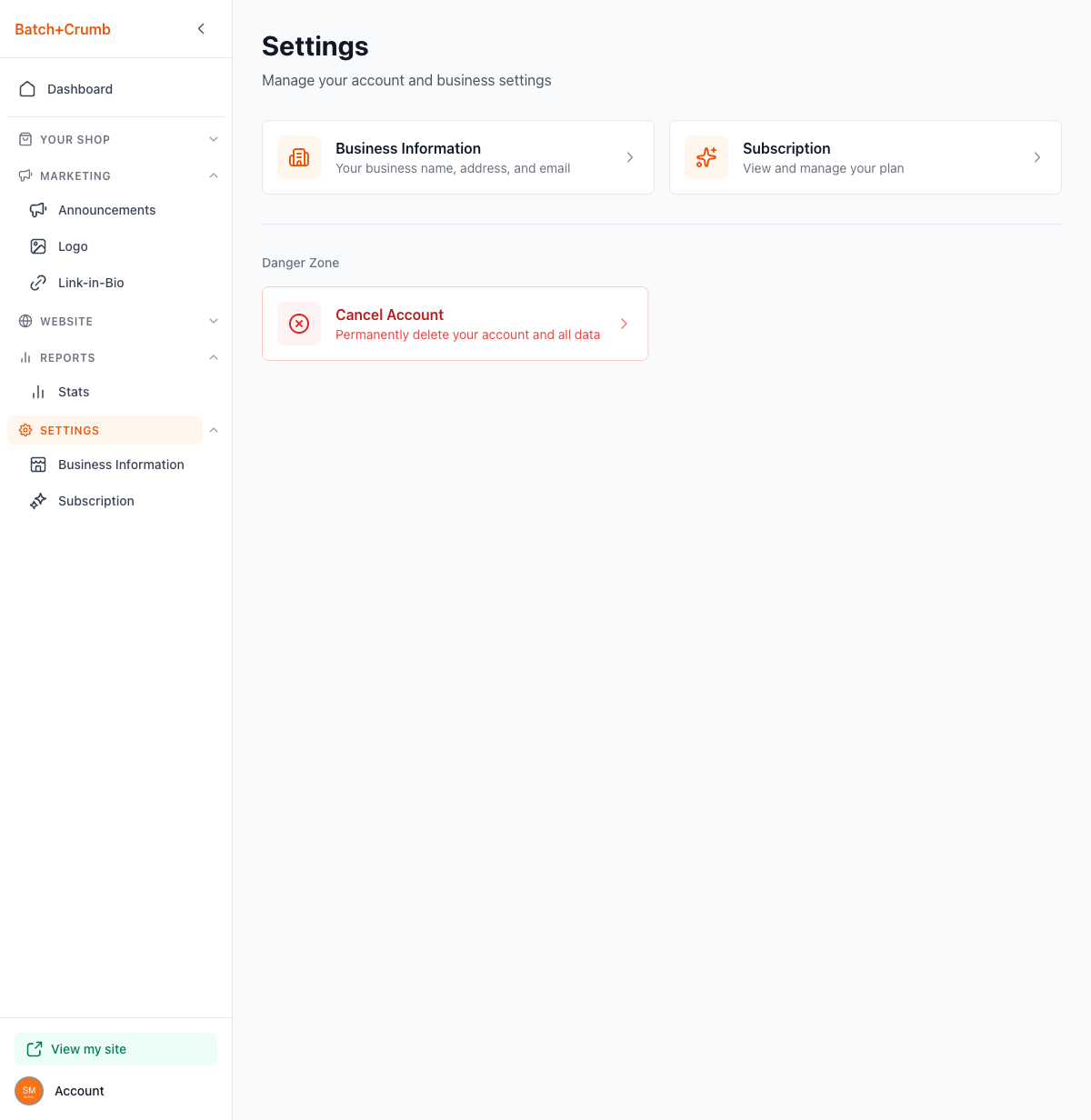
From the sidebar, click Settings. You'll land on the main Settings page, which shows cards for Business Information and Subscription, plus a Danger Zone section at the bottom.
2. Click Cancel Account
In the Danger Zone section, click the Cancel Account button. This opens a confirmation dialog that walks you through exactly what will happen.
3. Review what will be deleted
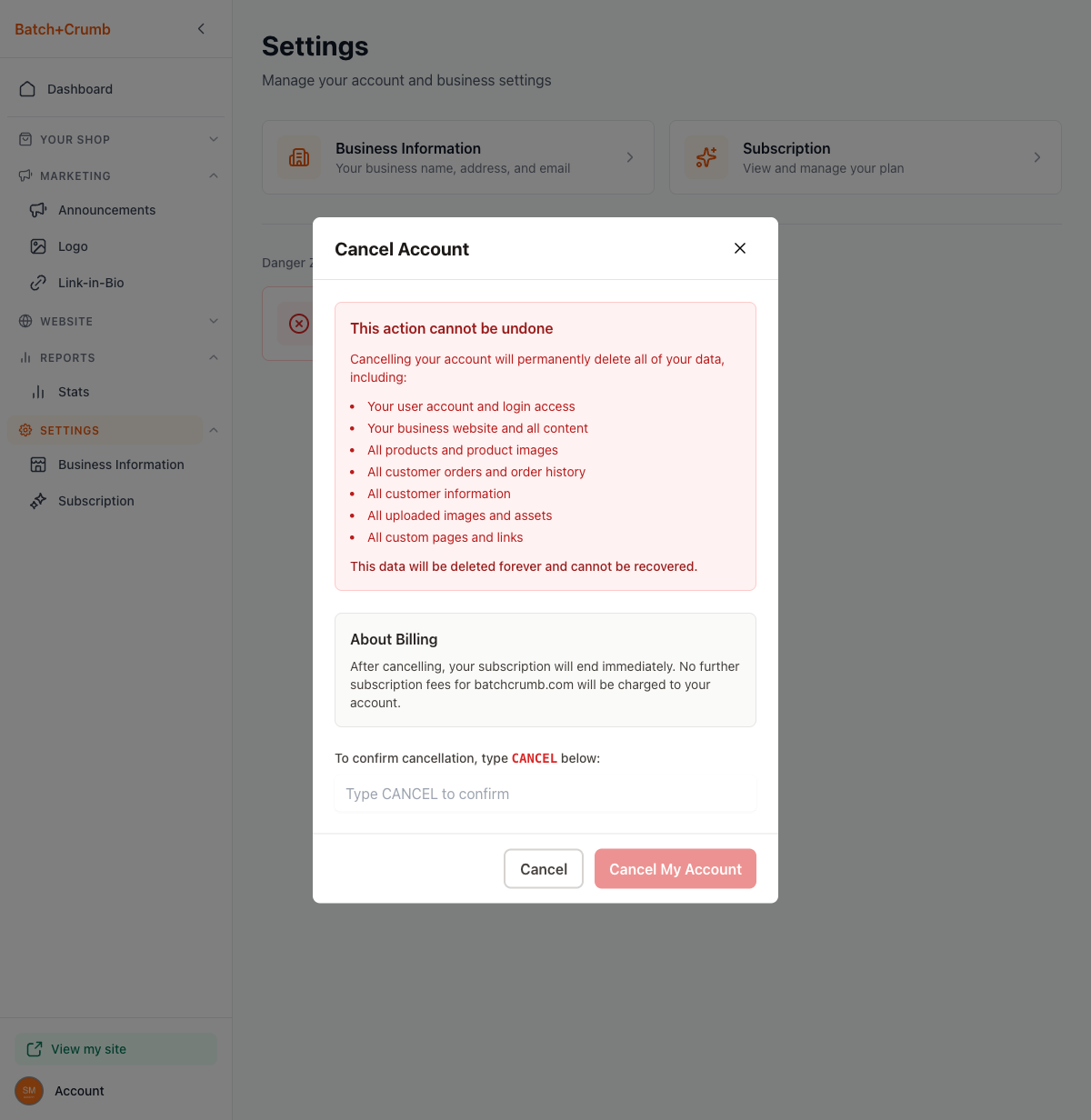
The dialog clearly lists everything that will be permanently removed:
- Your user account and login access
- Your business website and all content
- All products and product images
- All customer orders and order history
- All customer information
- All uploaded images and assets
- All custom pages and links
It also includes an About Billing note: after cancelling, your subscription ends immediately and no further charges will be made.
4. Type CANCEL to confirm
To prevent accidental deletions, you need to type CANCEL (all caps) in the confirmation field. The Cancel My Account button stays grayed out until you type it exactly.
5. Click Cancel My Account
Once you've typed CANCEL, the red Cancel My Account button becomes active. Click it to permanently delete your account. If you change your mind, click Cancel (or the X in the top corner) to close the dialog without making any changes.
Tips
- There's no way to undo this — once your account is cancelled, your data is gone for good. Download or save anything important first.
- If you just need to take a break, you can leave your account active without any obligation. Your site will stay up even if you're not actively using it.
- Cancelling your account doesn't affect any separate Stripe account you may have set up for payments — you'd need to manage that directly through Stripe.