
Feature Products
Choose which products appear on your homepage to catch customers' eyes the moment they visit your shop.
Choose which products appear on your homepage to catch customers' eyes the moment they visit your shop.
Overview
Featured products are the ones that show up in the "Our Products" section on your homepage. If you have a big catalog, featuring lets you spotlight your best sellers or seasonal favorites without overwhelming visitors with everything at once. Products that aren't featured still appear on your full Products page — they just won't be front and center on the homepage.
Steps
1. Go to your Products page
Direct link: Open this page
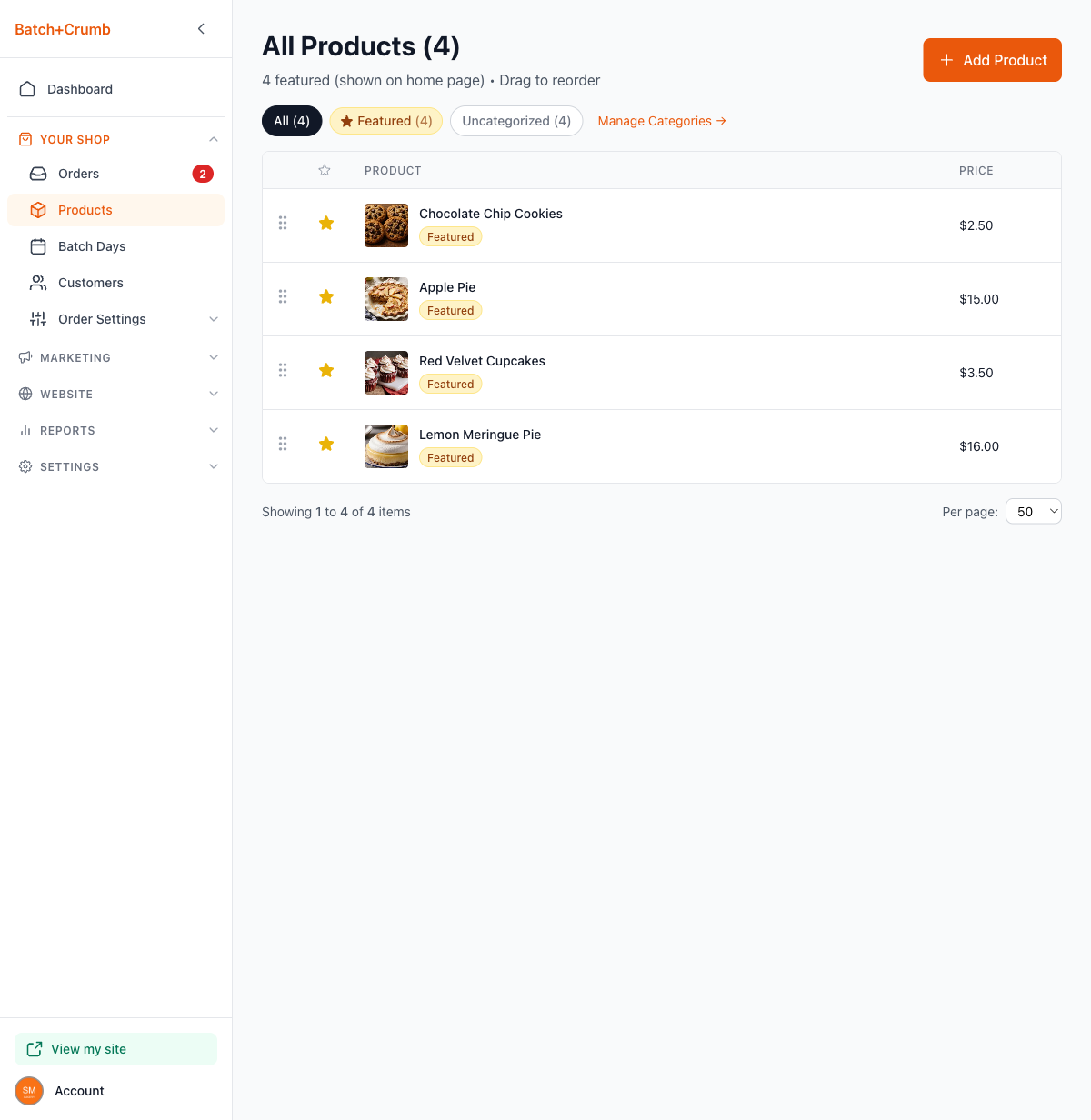
From the left sidebar, click Products under Your Shop. You'll see all your products listed with a star icon next to each one. The subtitle at the top tells you how many are currently featured — for example, "4 featured (shown on home page)."
2. Click the star to feature or unfeature a product
Each product has a star icon to the left of its name. Here's what the star means:
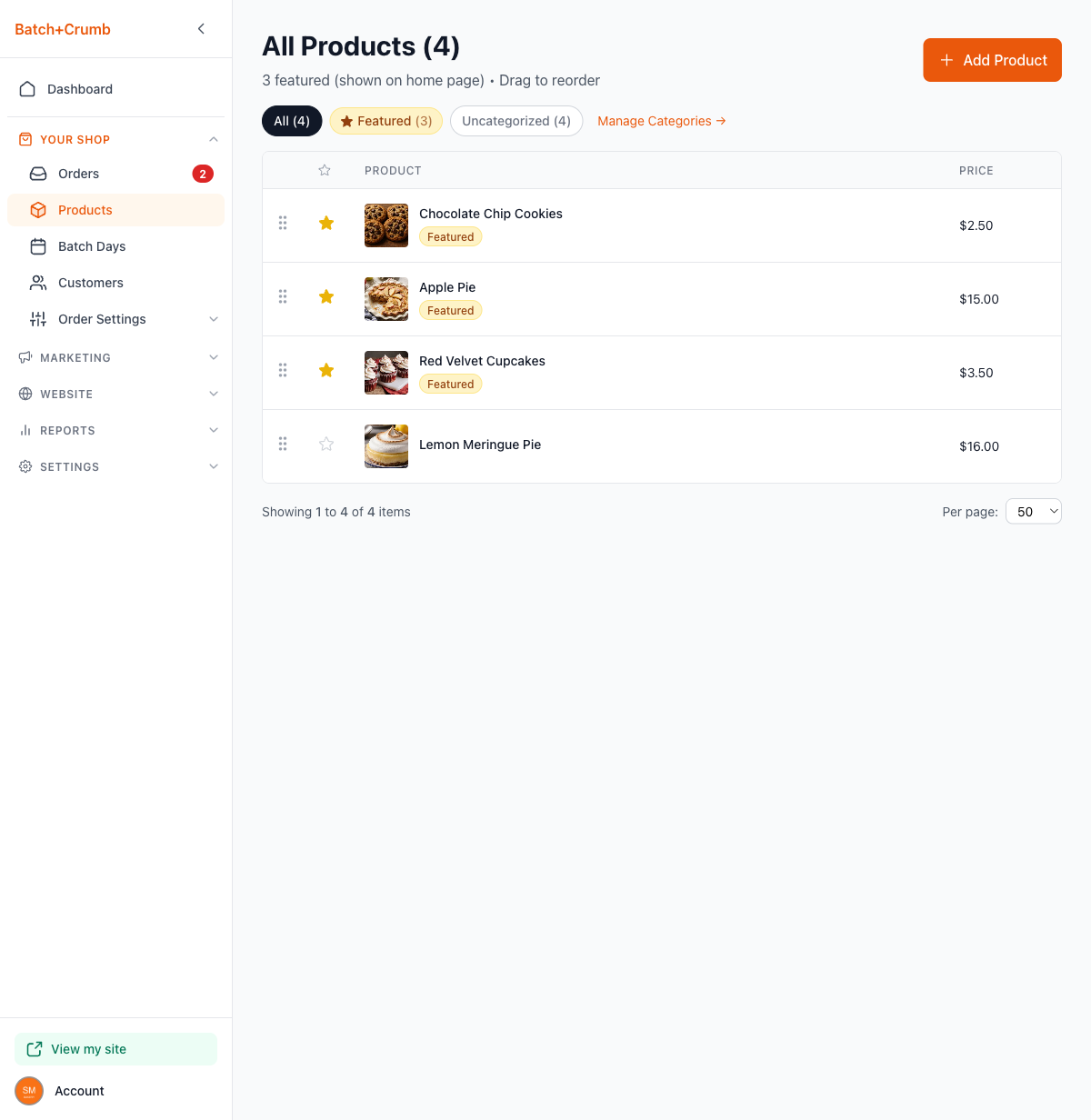
- Filled star (gold) — the product is featured and appears on your homepage. Hovering shows "Unfeature product."
- Empty star (outline) — the product is not featured. Hovering shows "Feature product."
Click the star to toggle. The change saves instantly — no need to hit a Save button. You'll also notice the "Featured" badge appears or disappears next to the product name, and the featured count at the top updates automatically.
3. Use the Featured filter to see only featured products
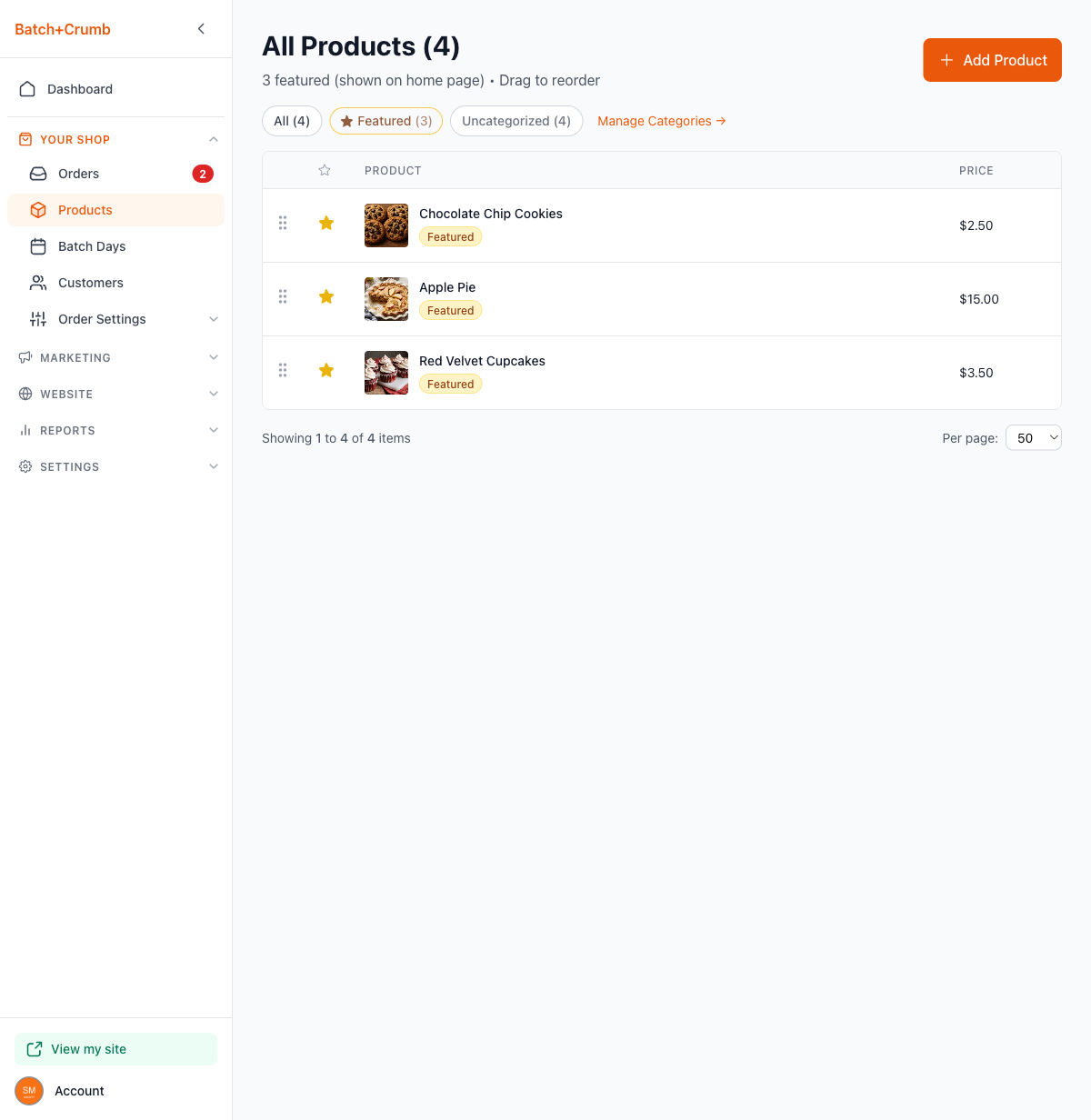
Click the Featured tab at the top of the product list to see just your featured products. This is a quick way to review what's showing on your homepage without scrolling through everything.
4. Check your homepage
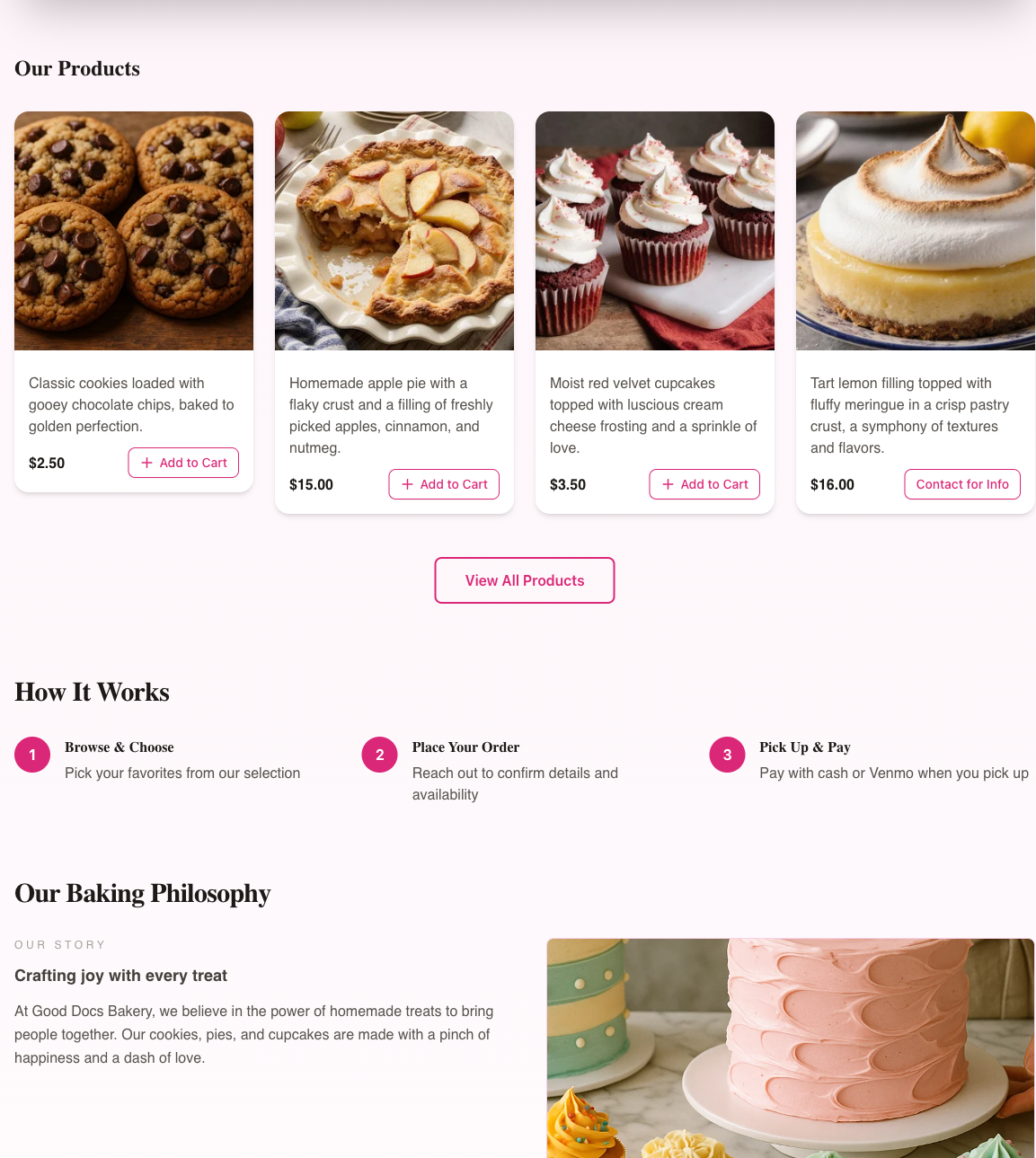
Visit your public site to see your featured products in action. The "Our Products" section on your homepage displays only your featured products in the order they appear on your Products page.
Tips
- You can feature as many or as few products as you like. If you feature none, the "Our Products" section on your homepage will be empty.
- The order of featured products on your homepage matches the order on your Products page. Use drag-to-reorder to arrange them exactly how you want.
- Featuring a product doesn't change its visibility on the full Products page — customers can always find all your published products there.
- Seasonal strategy: feature holiday items leading up to a big weekend, then swap them out after. It keeps your homepage feeling fresh.